TicTOCs: It’s about Time

The JISC ticTOCS service has been formally launched after a significant trial period. (I first wrote about this service in July 2007.) The ticTOCs service aggregates the tables of contents (TOCs) from 11,470 scholarly journals from 422 publishers, for a total of 296,186 full-text articles. (Of course, you or your institution must have access to the full text of these journals to view them; the table of contents, though, is free.)
The idea behind ticTOCs is to make finding and subscribing to table of contents RSS feeds a simple process. This free service is long overdue. Getting lists of tables of contents from journal publishers is time-consuming, if it is possible at all. Being able to pull together feeds across journals in one OPML file will prove helpful to libraries wanting to deliver current awareness services, have more up-to-date subject guides (with a list of recent articles in that topics ‘hot’ journals), or to augment catalog records.
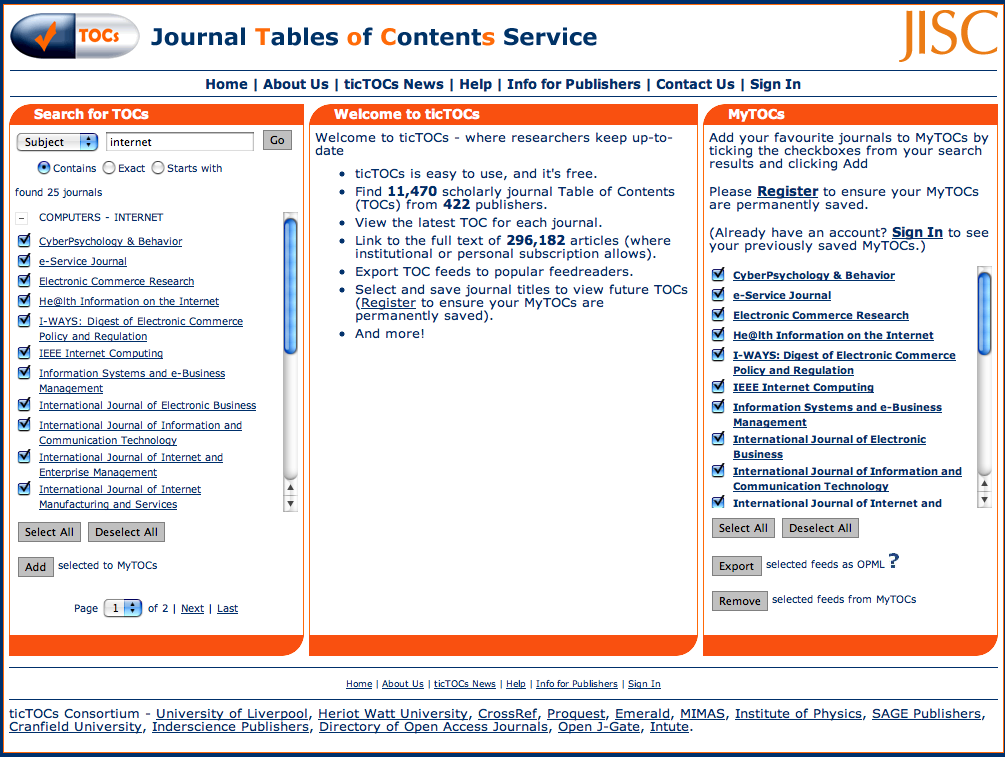
The site lets you identify journals of interest by topic, by title, or by publisher, subscribe to their tables of contents (the “TOCs”) by checking (“ticking”) a box, and then getting an aggregated feed of articles and abstracts to review. You can add all journals matching a search (subject, title word, or publisher) to your profile with a single click, or add individual titles.
Screen Shot

You can export the subscription list of tables of contents as an OPML file to add to your favorite reader. For example, here is an OPML file of the 25 journals in the Computers — Internet category.
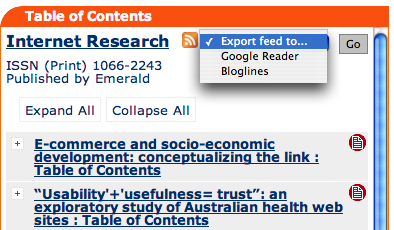
TicTOCs display each journal with its title, the standard icon for the RSS feed, and a menu to add that feed to either Bloglines or Google Reader. Articles are shown by title; a link at the top of the display allows you to show the full abstract provided by the publisher. And each article includes a link to add the citation to RefWorks.
Screen Shot

TicTOCs also opens the door to other advanced services. For one example, once you have an OPML file for the RSS feeds for a group of journals, that list of feeds could be run through Yahoo! Pipes or other similar tool to filter for keywords. For another, the OPML file from ticTOCs could be edited to redirect all full-text links through the library’s proxy server, allowing that library’s users to get to the full text articles without any hassle at all.
Future developments I, for one, would like to see include (of course) more publishers — where’s Elsevier — and a simple way to query ticTOCs with a journal’s ISSN or EISSN and get back the canonical RSS feed. Such a service would let libraries more easily add an RSS feed for a journal to that journal’s entry in the local library catalog. It would also be helpful, at an institutional level, to have automatic rewriting of full-text URLs in table of contents feeds that included the library’s proxy server.
This service will save librarians time and, more importantly, save patrons time.

Related Articles

Correction

There are, in fact, 1870 Elsevier journal titles in ticTOCs — thanks to Roddy MacLeod for pointing out my error.

Updated 12 Feb 2009

For you programmers out there, ticTOCs now offers a downloadable file of journal titles, ISSNs, and RSS feed URLs. Not quite an API, but a good start. See the ticTOCs news site for details and or get the ticTOCs data set for yourself.
Code4Lib Journal’s Fifth Issue

Issue 5 of the Code4Lib Journal was published this afternoon. And if I do say so myself (as a member of the journal’s Editorial Committee, it’s another excellent one. Here’s the table of contents:

Google Chrome: Out of Beta, Still No RSS

Google released its Chrome web browser back in September as a beta. Unlike so many other Google tools that are in perpetual beta, Chrome today is now a full-fledged product (see Google’s press release to this effect).
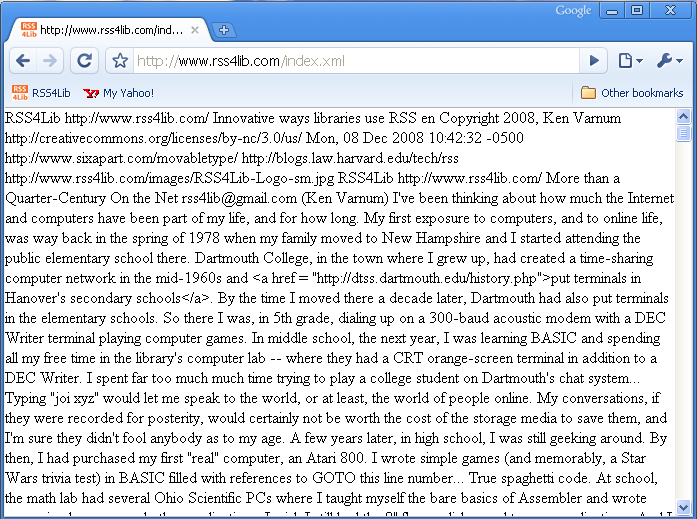
As I noted back in September, Chrome had no support for RSS feeds. And it still doesn’t — here’s RSS4Lib’s RSS 2.0 feed as displayed by Chrome:

RSS Feed as displayed in Google Chrome

Given that Google has a perfectly serviceable RSS reader, and seeing the importance Google has clearly placed on Chrome — moving it from public beta to supported software in an unheard of three months — it seems even odder now than in the beta stage that Google has chosen not to make use of it.

Related Articles

More than a Quarter-Century On the Net

I’ve been thinking about how much the Internet and computers have been part of my life, and for how long. My first exposure to computers, and to online life, was way back in the spring of 1978 when my family moved to New Hampshire and I started attending the public elementary school there. Dartmouth College, in the town where I grew up, had created a time-sharing computer network in the mid-1960s and put terminals in Hanover’s secondary schools. By the time I moved there a decade later, Dartmouth had also put terminals in the elementary schools. So there I was, in 5th grade, dialing up on a 300-baud acoustic modem with a DEC Writer terminal playing computer games.
In middle school, the next year, I was learning BASIC and spending all my free time in the library’s computer lab — where they had a CRT orange-screen terminal in addition to a DEC Writer. I spent far too much much time trying to play a college student on Dartmouth’s chat system… Typing “joi xyz” would let me speak to the world, or at least, the world of people online. My conversations, if they were recorded for posterity, would certainly not be worth the cost of the storage media to save them, and I’m sure they didn’t fool anybody as to my age.
A few years later, in high school, I was still geeking around. By then, I had purchased my first “real” computer, an Atari 800. I wrote simple games (and memorably, a Star Wars trivia test) in BASIC filled with references to GOTO this line number… True spaghetti code. At school, the math lab had several Ohio Scientific PCs where I taught myself the bare basics of Assembler and wrote some simple games and other applications. I wish I still had the 8″ floppy disks used to save applications. And I continued my forays into the online world. Thanks to Google’s indexing of Usenet, I discovered that I can trace my online presence back to twenty-five years ago today… To a very geeky “warez” post on the net.micro.atari Usenet group asking if anyone had Atari 800 software to trade. I even got some takers — from England as well as the United States, and early demonstration of the power of the Internet.
And then college — where technology was much less a significant part of my life than it has been at just about anytime in the past 30 years. Grinnell had computer labs and was online, but most of my friends were far less computer-focused than I. I mostly wrote papers and occasionally chatted with another paper-writer in another computer lab on campus, but pretty well left the nascent Internet alone until I got to graduate school in the early 1990s.
And that’s where my interests and technology came into sync. During my first semester of library school, in 1993, the first graphical web browser, NSCA Mosaic, was released. I jumped on the bandwagon, and haven’t fallen off yet. Back when there actually was a reasonably accurate “What’s New” service for the Internet — listing new servers and new sites, day by day, as they came on line — I was playing around on the library school’s web server, posting web pages, and being amazed when things like centering text and tables were added to HTML. Fast forward another decade, and the web is, well, my job — who would have thought it?

FeedVis: An RSS Tag Cloud on Steroids

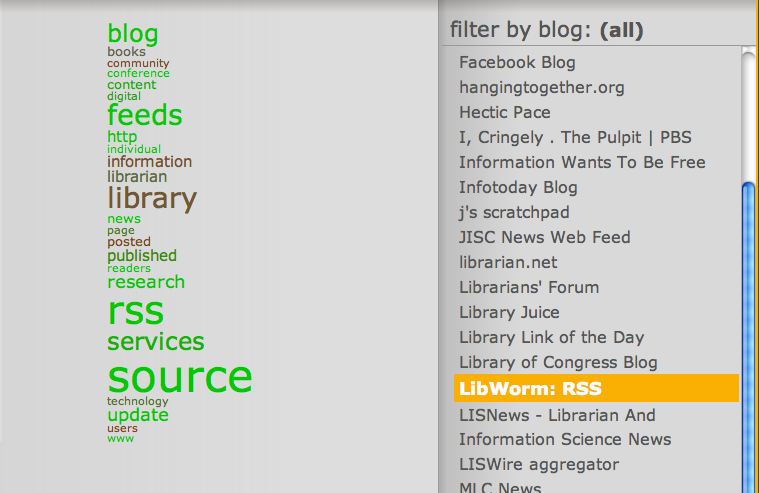
FeedVis is a word cloud/feed visualization tool. Give it a bunch of RSS feeds (in OPML), it will digest them for you, and present a word frequency chart which you can interact with by selecting date ranges, specific blogs, or both.
I selected about 75 RSS- and library-related feeds and generated an OPML file, which I then uploaded to FeedVis. This is what the interface looks like. Across the top is a time scale — a yellow bar indicates each day in the 30-day window, with the number of posts for each day shown. Beneath that is a word cloud, showing the most common words in the collection of feeds for the selected time period (in this case, all feeds for all 30 days).

FeedVis Word Cloud for All Blogs

If you select a single blog, FeedVis focuses on that blog and redraws the word cloud for you with a slick AJAX effect. The size of the word shows frequency (per thousand words), as you’d expect. The color indicates recent shifts in popularity. If a word has been used more in the selected time period than overall, it shows up as green. If a word has been used less frequently in the selected time period than overall, it’s red.

FeedVis Word Cloud for one Blog

You can interact with this data yourself at http://jasonpriem.com/feedvis/index.php?account=varnum. Of course, you can also create your own by exporting an OPML file from your favorite RSS reader (no more than 100 feeds can be imported at once, however).

Thanks to Suz of userslib.com.

Google Alerts are Now RSS-Enabled

Google has finally made Google Alerts available via RSS. Just as with email alerts, you can enter search terms and select parts of the web to monitor (news, blogs, web, groups, video) or go for the whole shebang with a “comprehensive” search. For example, here’s an alert feed for January’s Inauguration Day. Google has enabled feeds to be shared — so once you create an alert, it can be read in any feed reader or included in any web page.